🪐 Companion Atlas
Explore a life as a place and a timeline. Companion Atlas turns located Companion Memory events into a navigable globe, then lets you collect moments into a scrapbook and play them as a journey on a desktop, phone, or WebXR headset.
Open-source release. Companion Atlas is open source under the PolyForm Noncommercial 1.0.0 license . It is engineered as a browser-based 4D geospatial and spatial-computing exploration platform for Companion Memory, running natively on desktop browsers, mobile viewports, and WebXR headsets.
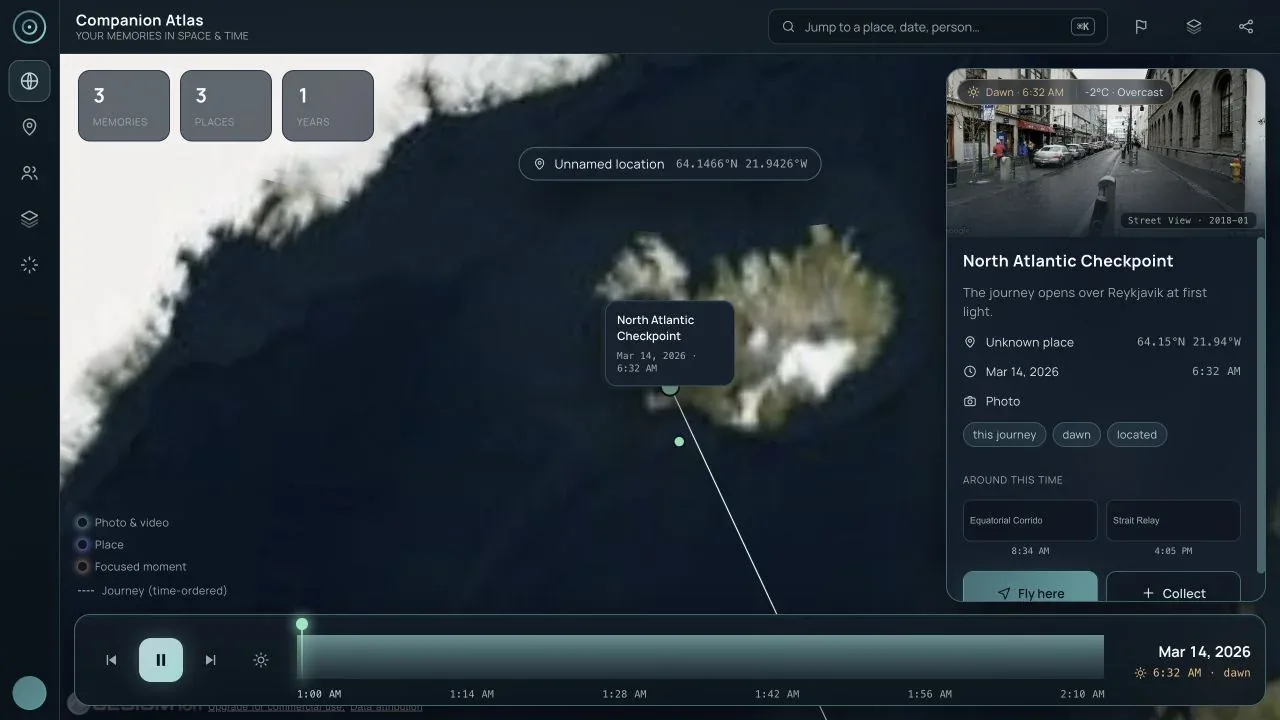
Companion Atlas is a pre-release viewer. The screenshots on this page were captured on 2026-09-02 from the bundled Pacific Crossing, Spring 2026 demo story. They contain demo locations and public imagery, not anyone’s private memory archive. Live-memory and physical-device validation are called out separately below.
Product shape
Atlas has one story model and three presentation surfaces:
| Surface | Best for | Current entry point |
|---|---|---|
| Desktop browser | Reviewing a whole archive, searching, curating, and saving journeys | Cesium globe with inspector and time machine |
| Mobile browser | Quick place review, collection, and sharing | Responsive Cesium shell at a 390 × 844 reference viewport |
| WebXR | Spatial exploration and embodied time travel | Three.js globe with WebXR controls and a Quest 3 emulator |
The viewer can load a published companion.atlas/story@1 document or query a
connected Companion Memory for located memories. A story is the portable,
shareable unit; a live Memory connection is the private archive behind it.
- Presentation surfaces
- 3
- Desktop browser, mobile browser, and WebXR, over one story model.
- from Product shape
- Located memories per page
- 100
- The live GraphQL query pages Companion Memory results 100 at a time.
- from Connect to local Companion Memory
- Located-memory cap
- 2,000
- The client stops here and only warns in the console when the server reports more.
- from Known gaps
Both sources feed the same story model, and the scrapbook writes back out as a story:
flowchart LR
    S["Published story<br/>companion.atlas/story@1"] -->|"?story=url"| M["Story model"]
    C["Companion Memory<br/>located memories"] -->|"GraphQL via ?memory=<br/>100 per page"| M
    M --> D["Desktop browser<br/>Cesium globe"]
    M --> P["Mobile browser<br/>responsive Cesium shell"]
    M --> X["WebXR<br/>Three.js globe"]
    M --> B["Scrapbook"]
    B -->|"Download .story.json"| S
    B -->|"Save to Memory<br/>atlas-story event"| C
Technical architecture
Companion Atlas operates as a dual-renderer, 4D spatial visualization system designed to navigate personal life histories across geospatial and virtual environments.
Shipped client vs. backend scaffolds. In the current CI-Spatial-Atlas
repository, the viewer-react client (CesiumJS/Resium globe, Three.js/React
Three Fiber WebXR scene, companion.atlas/story@1 story state, and direct
GraphQL connection to Companion Memory) is implemented and verified. The
atlas-api service, reconstruction worker, durable backend store (PostgreSQL,
Redis, MinIO), and OpenClaw/Hermes agent connectors shown in the architecture
diagram are repository scaffolds rather than production services.
flowchart LR
    subgraph Suite["Companion Intelligence Suite"]
        Memory[("Companion Memory Server<br/>Located entities & events")]
        OpenClaw["OpenClaw Agent (Scaffold)<br/>MCP tool calls"]
        Hermes["Hermes Agent (Scaffold)<br/>Narrative briefings"]
        OIDC["CI Account / OIDC<br/>Bearer token auth"]
    end

    subgraph Atlas["Companion Atlas Architecture"]
        subgraph Frontends["Dual-Engine Frontend (viewer-react — Shipped)"]
            CesiumView["CesiumJS / Resium Engine<br/>WGS84 3D Globe · Terrain · Satellite"]
            WebXRView["Three.js / R3F Engine<br/>WebXR 6DoF Spatial · Quest 3 · Vision Pro"]
            StoryState["Unified Story State<br/>companion.atlas/story@1"]
        end

        subgraph Server["atlas-api Backend Service (Scaffold)"]
            API["atlas-api<br/>REST & Streamable HTTP MCP"]
            Worker["Reconstruction Worker<br/>3D Tiles & Gaussian Splats"]
            Store[("Postgres + Redis + MinIO<br/>Story assets & cached tiles")]
        end
    end

    Memory <-->|"GraphQL located search / save story"| StoryState
    OpenClaw -.->|"MCP spatial tool calls"| API
    API -.->|"Publish notifications"| Hermes
    OIDC -.->|"Bearer auth"| API

    API -.-> Store
    API -.->|"Enqueue 3D jobs"| Worker
    Worker -.->|"3D Tiles / Splats"| Store

    StoryState -.->|"Fetch & Publish Stories"| API
    StoryState --> CesiumView
    StoryState --> WebXRView
Dual-renderer architecture
To avoid maintaining two disconnected codebases for map navigation and immersive VR:
- Geographic GIS engine (Resium / CesiumJS):
- Provides global-scale WGS84 ellipsoid coordinates, high-resolution satellite imagery tiles, elevation terrain heightmaps, and smooth camera trajectories between cities and continents.
- Ideal for desktop browsers, laptops, and mobile viewports.
- Immersive XR engine (Three.js / React Three Fiber):
- Activates when entering WebXR on headsets such as Meta Quest 3 or Apple Vision Pro.
- Translates latitude and longitude into local room-scale 3D coordinates, rendering memory pins as interactive holographic orbs with spatial audio playback and 6DoF hand-tracking interaction.
- Unified story domain model: Both renderers consume the identical in-memory
Storymodel. Switching between desktop screen mode and headset VR requires zero data conversion.
The Story specification (companion.atlas/story@1)
A Story is the canonical portable format for sharing spatial journeys:
- Spatial anchors: Points anchored by WGS84 geographic coordinates (latitude, longitude, altitude) and optional local ENU (East-North-Up) offsets.
- Temporal sequences: Nodes arranged chronologically with start and end timestamps, durations, and dwell times.
- Entity provenance: Direct cross-links to Companion Memory’s core domains (
Person,Place,Thing,Content,Event). - Media attachments: High-resolution photos, 360-degree panoramas, audio notes, and 3D Gaussian splat reconstructions.
Open the viewer
Safe demo story
Run the viewer from a source checkout (npm install, then npm run dev; it serves on port 4174 by default) and open the bundled story with the URL below. The empty
memory parameter intentionally disables any build-time Memory connection so
the result is safe to share:
http://127.0.0.1:4174/?memory=&story=/stories/sample-pacific-journey.json&renderer=cesiumThe same story is available over a Tailscale hostname when the dev server is bound to the tailnet. Replace only the host in the URL; do not add credentials to a published link.
Connect to local Companion Memory
Use a same-origin dev proxy when Companion Memory is running locally:
http://127.0.0.1:4174/?memory=/memory&renderer=cesiumThe viewer sends a located-memory GraphQL query through /memory, pages up to
100 results at a time, restores chronological order, and maps the response to
the story model. The development proxy target is configured with
VITE_DEV_MEMORY_PROXY, for example http://localhost:5173/api when the
Companion Memory web app is the local gateway.
For a direct Companion Memory origin, use ?memory=<memory-origin> and provide
a session cookie, ?token=<jwt>, or ?apiKey=<key> as appropriate for the
local environment. Tokens and API keys must stay in local environment configuration
or a private session: the Share control removes memory, token, and apiKey
from the copied URL. When a live Memory request is unauthorized, the viewer
now offers an in-viewer sign-in/retry path. It exchanges the server’s
CSRF-protected credentials for a short-lived bearer kept in the current browser
tab; it never adds credentials to a share URL. Portal OIDC redirect login
remains a separate integration item.
WebXR emulator
The development-only Quest 3 emulator makes the immersive path testable in a normal browser:
http://127.0.0.1:4174/?memory=&story=/stories/sample-pacific-journey.json&renderer=xr&xremu=quest3?xremu=quest2, ?xremu=questPro, and ?xremu=generic are also accepted.
The emulator is never installed in production and is skipped when a real
immersive device is available.
Function inventory
Data and navigation
| Function | How to use it | What it does | Evidence |
|---|---|---|---|
| Load a demo or published story | Use ?story=<url>; omit it for the bundled sample | Loads a portable story without a Memory account | Desktop overview |
| Load live located memories | Use ?memory=<server> or the local /memory proxy | Fetches located events and converts them into a time-ordered globe | Live data is intentionally not published in this screenshot set |
| Globe home | Click the Globe control in the left rail | Returns to the all-memories framing | Desktop fit all |
| Fit all places | Click the pin / Fit all places control | Pauses playback and frames every located memory | Desktop fit all |
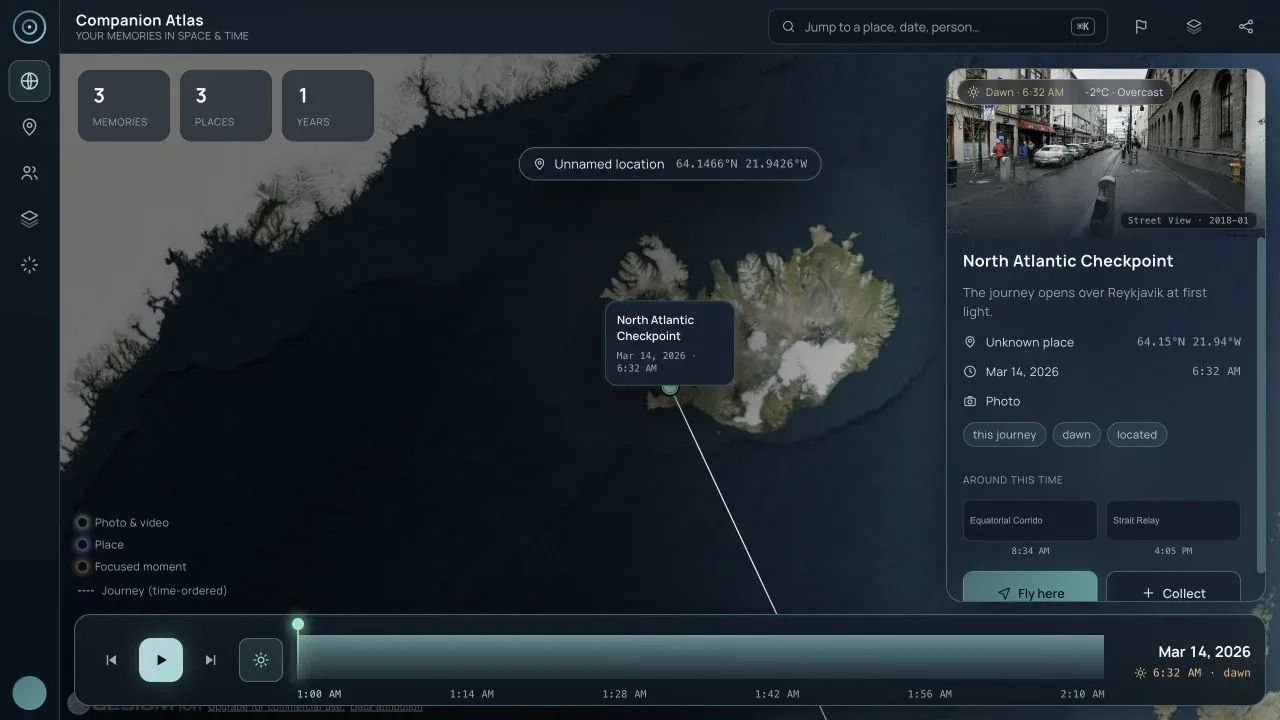
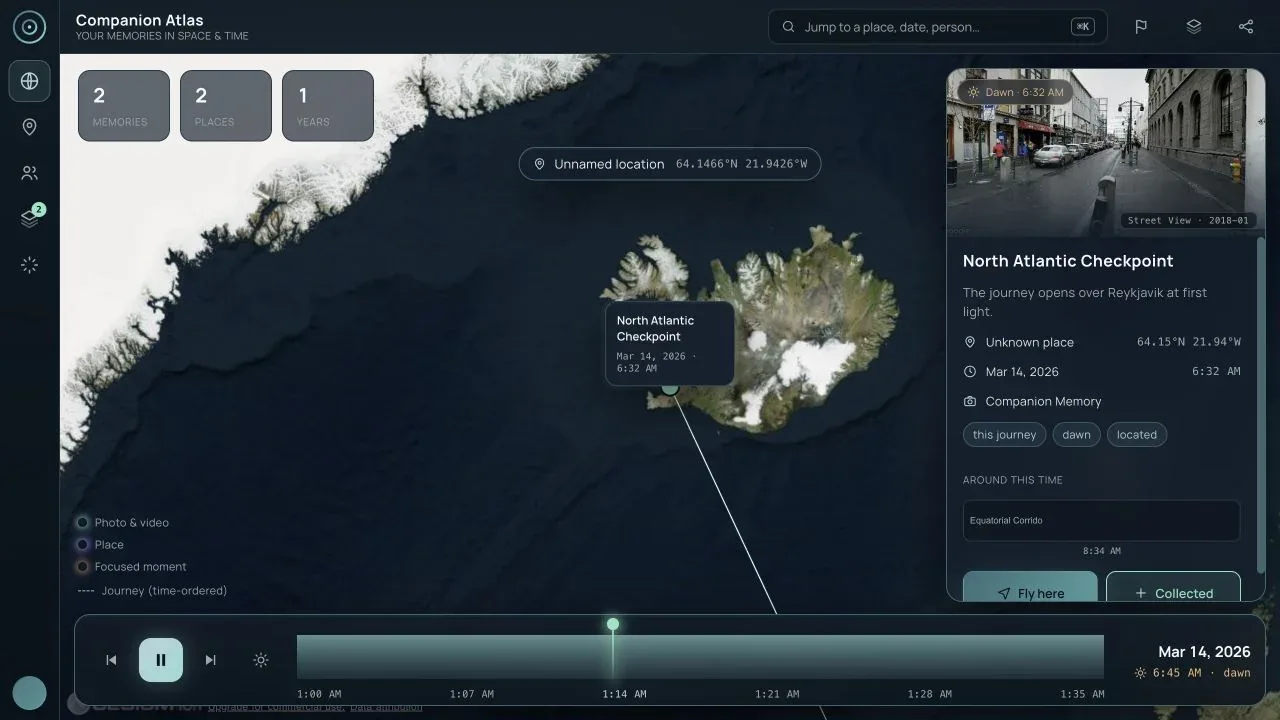
| Select a memory | Click a globe pin or a scrapbook frame | Focuses the memory, moves the clock to its instant, and flies to its location | Desktop overview |
| Inspect a place | Toggle Named places, then select a place marker | Shows place identity and, for live data, the place’s visit history | Desktop named places |
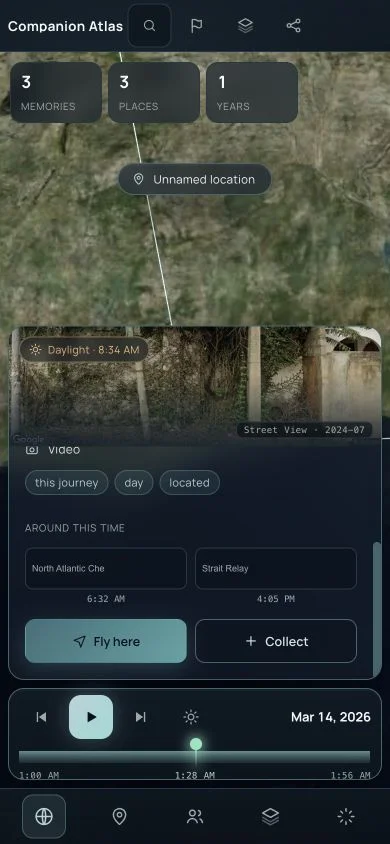
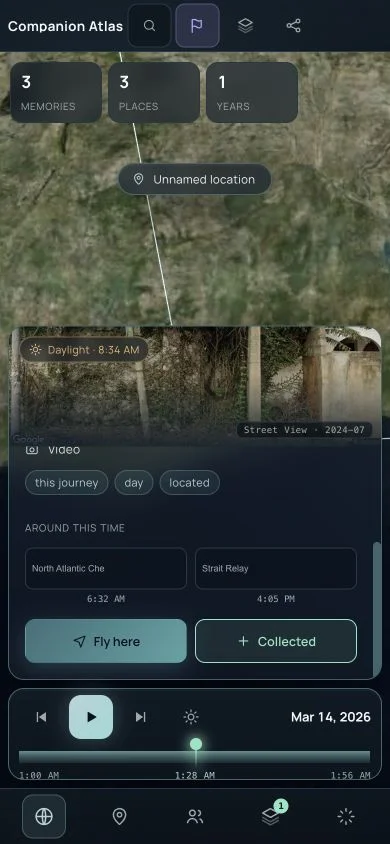
| Fly here | Scroll the inspector and choose Fly here | Reframes the camera around the selected memory | Mobile Fly here |
| Around this time | Scroll the inspector to the related-memory cards | Moves to a nearby memory from the same story | Mobile Fly here |
Search and time
| Function | How to use it | What it does | Evidence |
|---|---|---|---|
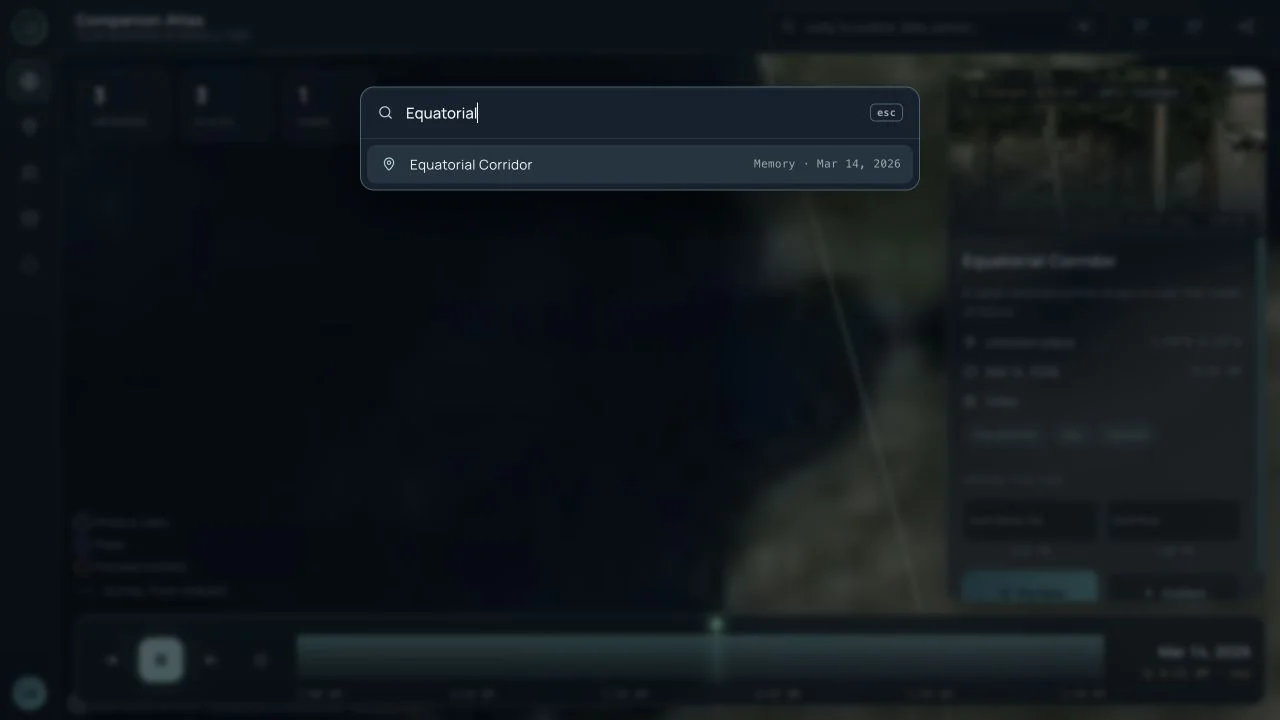
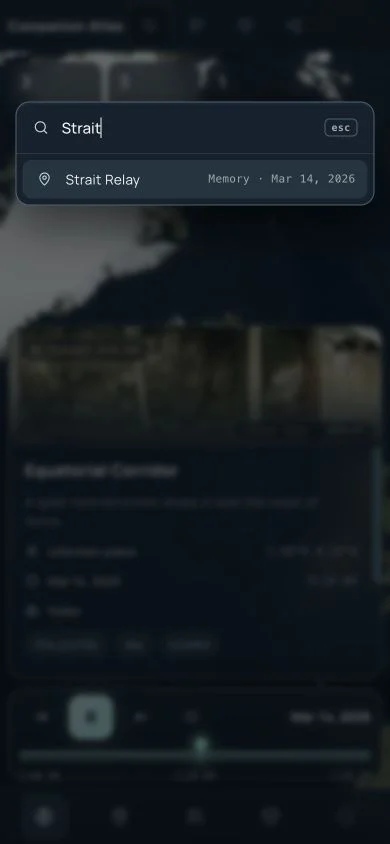
| Search memories | Click Search or press ⌘K / Ctrl+K | Opens the command palette for titles, places, people, and free-text matching | Desktop search |
| Search result selection | Choose a result in the palette | Focuses the result and closes the palette | Mobile search |
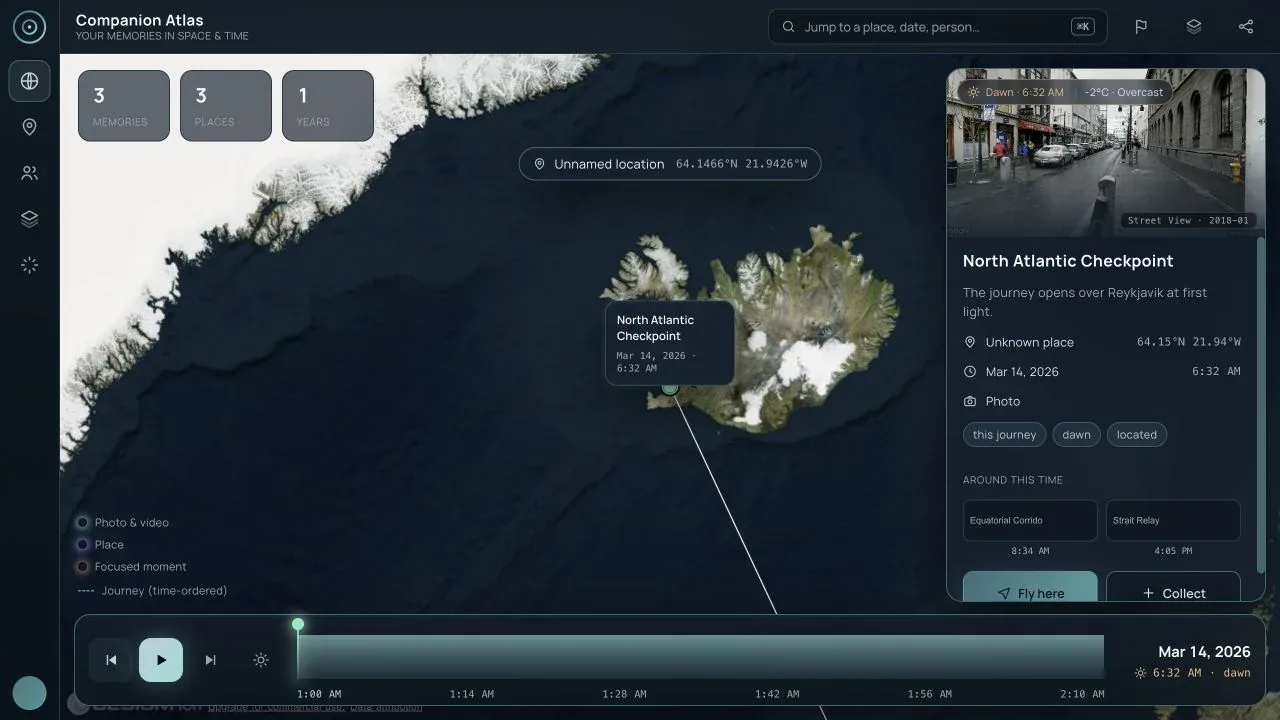
| Previous / Next memory | Use the two step buttons in the time bar | Selects the memory immediately before or after the current playhead | Desktop time machine |
| Play / Pause | Click the centre time-bar button | Plays the story through its timeline, or pauses it at the current instant | Desktop time machine |
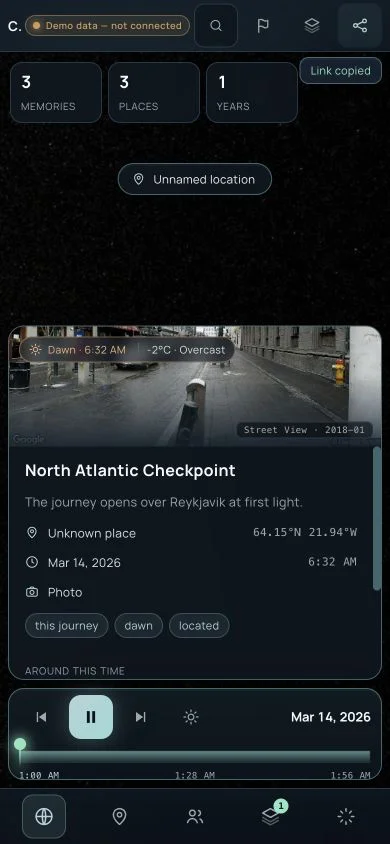
| Scrub the archive | Drag or tap the histogram track | Moves the clock and its place/time readout; a grab stops playback | Mobile time machine |
| Keyboard time control | Focus the scrubber, then use arrows, Page Up/Down, Home, or End | Supports fine steps, larger jumps, and timeline bounds without a mouse | Implemented and covered by automated tests; not a separate published screenshot |
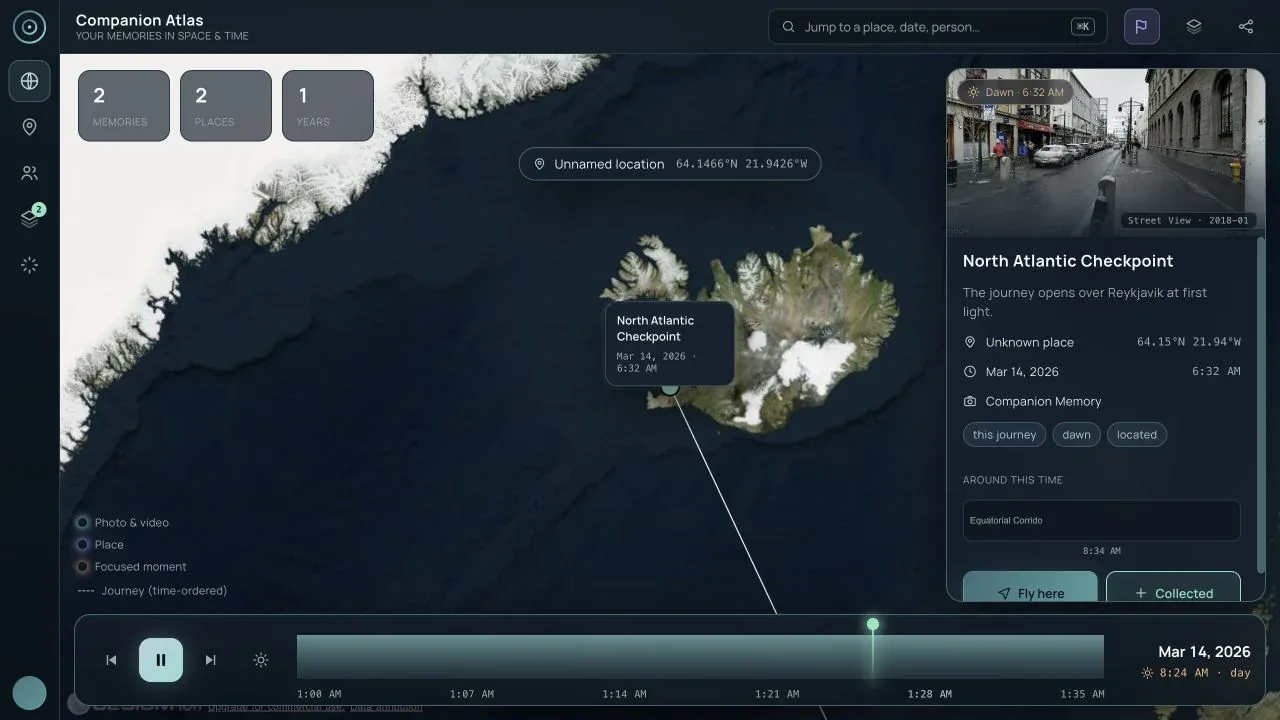
| Day/night lighting | Use the sun button in the time bar or the Layers popover | Applies the real solar terminator to the globe for the selected moment | Desktop day/night |
Map and media
| Function | How to use it | What it does | Evidence |
|---|---|---|---|
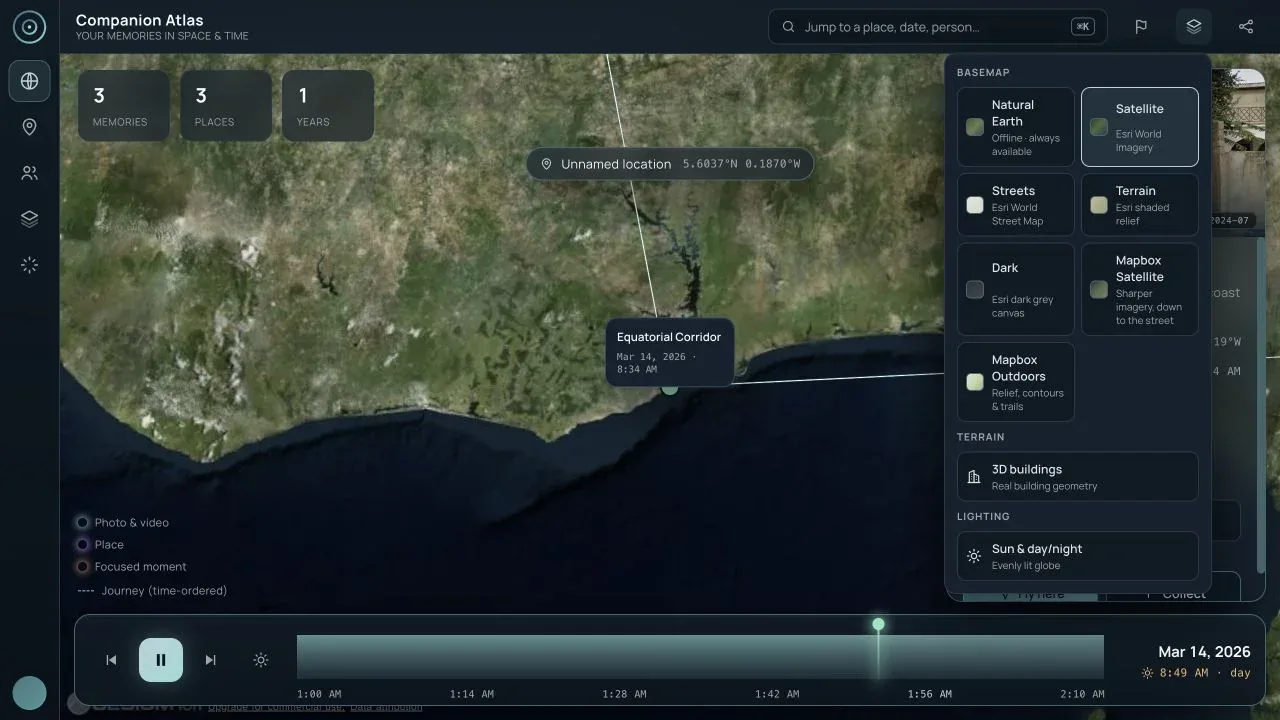
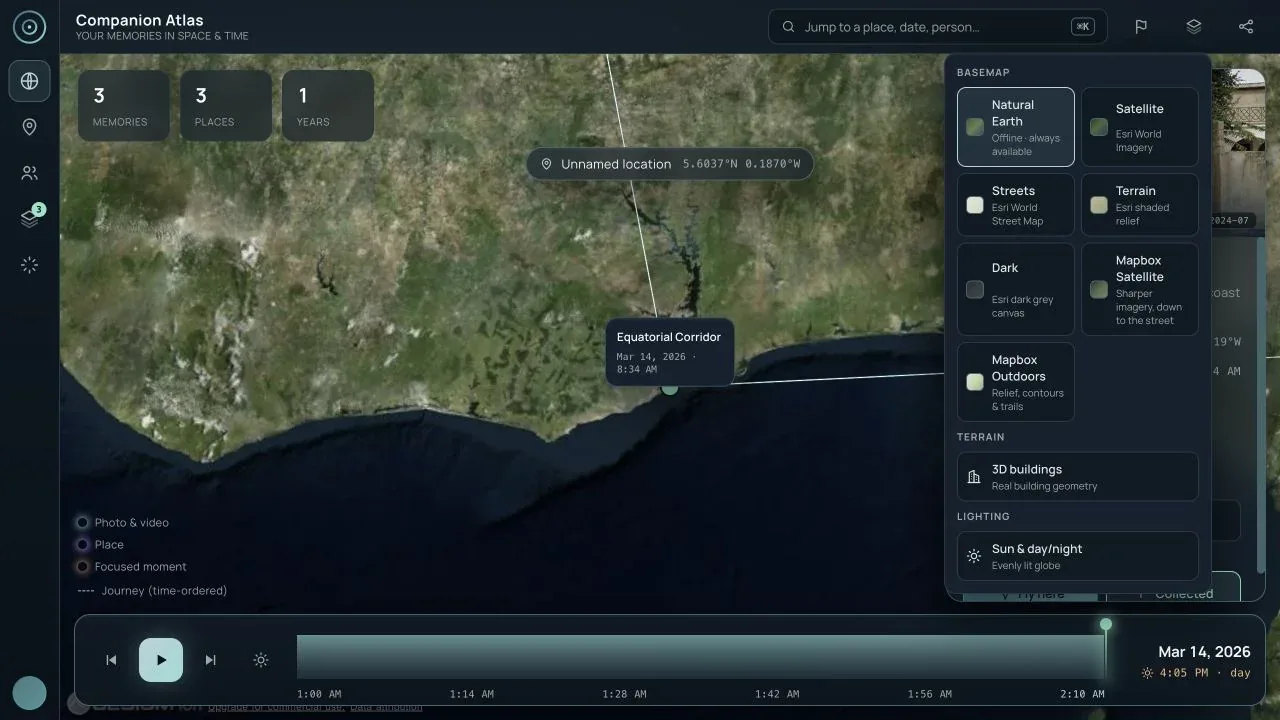
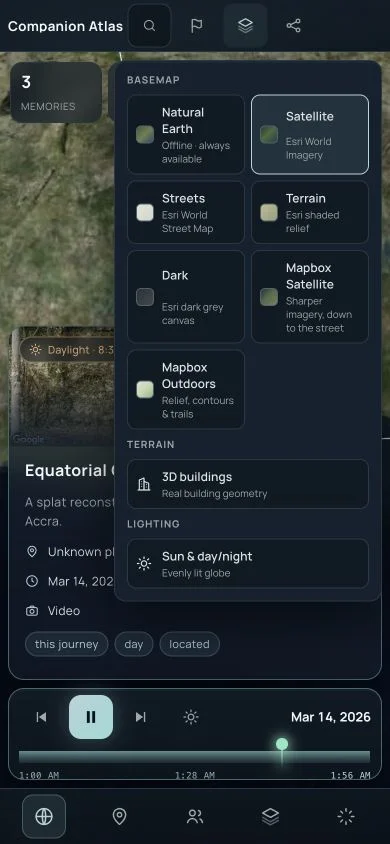
| Basemap selection | Open Map layers, then choose a basemap | Switches between Natural Earth, Satellite, Streets, Terrain, Dark, and Mapbox options | Desktop basemap |
| 3D buildings | Open Map layers and choose 3D buildings | Uses Google Photorealistic 3D Tiles when a Google key is configured; otherwise the disabled control explains the prerequisite | Desktop map layers |
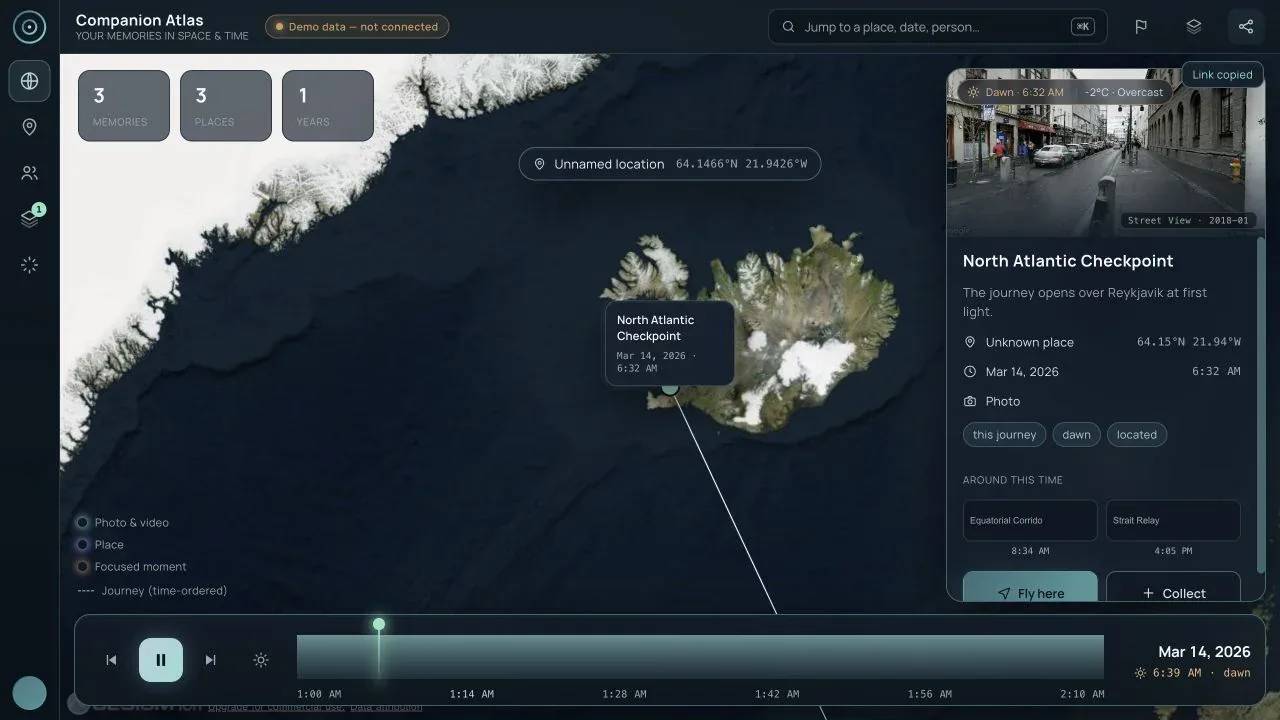
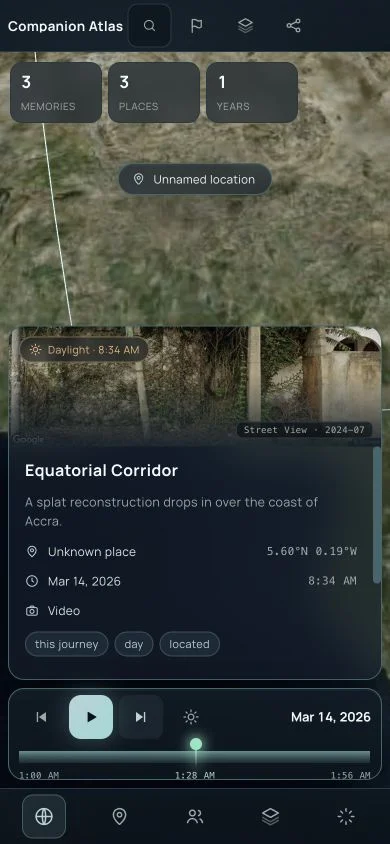
| Street View preview | Select a located memory | Shows Google Street View of the place when available, clearly credited as place imagery rather than the user’s photo | Desktop overview |
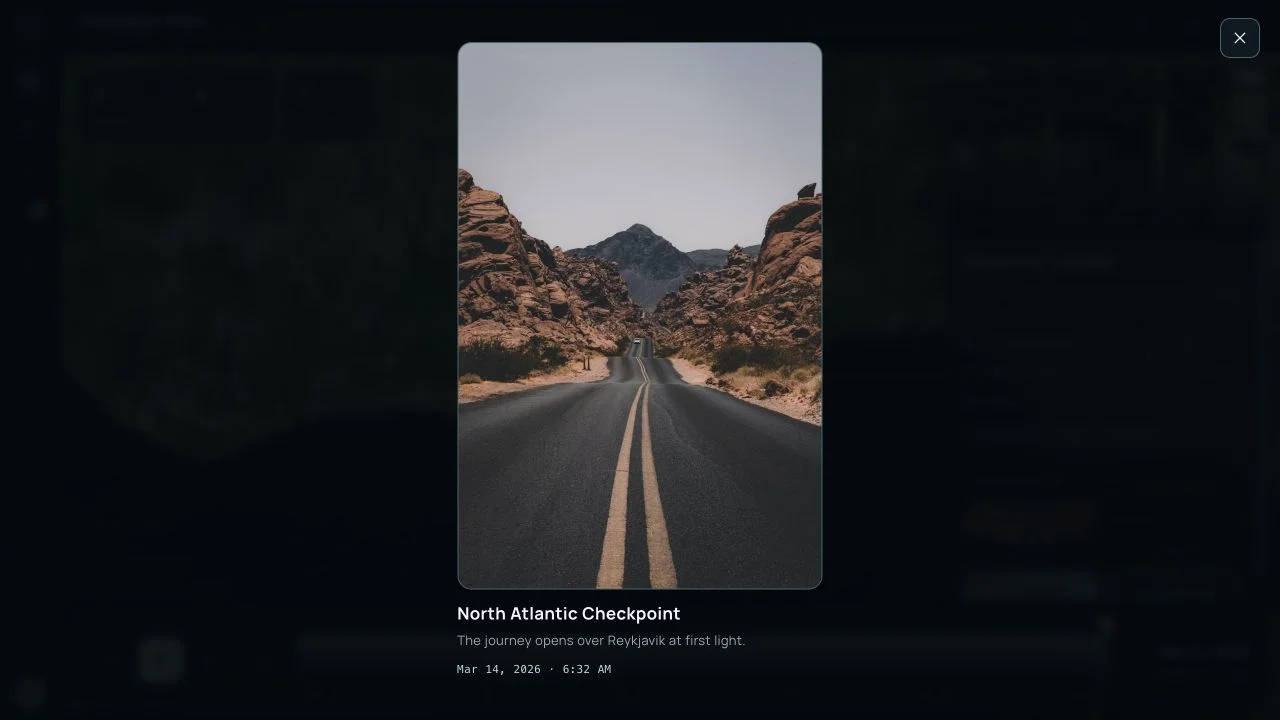
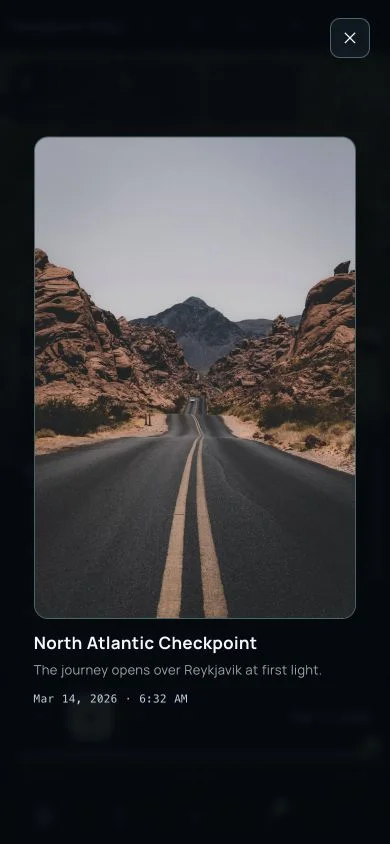
| User media | Select a memory with a loadable photo | Opens the full media lightbox; Escape closes it | Desktop lightbox, Mobile lightbox |
| No-media state | Select a memory without a photo or Street View coverage | States that no panorama is available instead of showing a misleading empty frame | Covered in the component tests; not represented by a public demo screenshot |
Scrapbook and sharing
| Function | How to use it | What it does | Evidence |
|---|---|---|---|
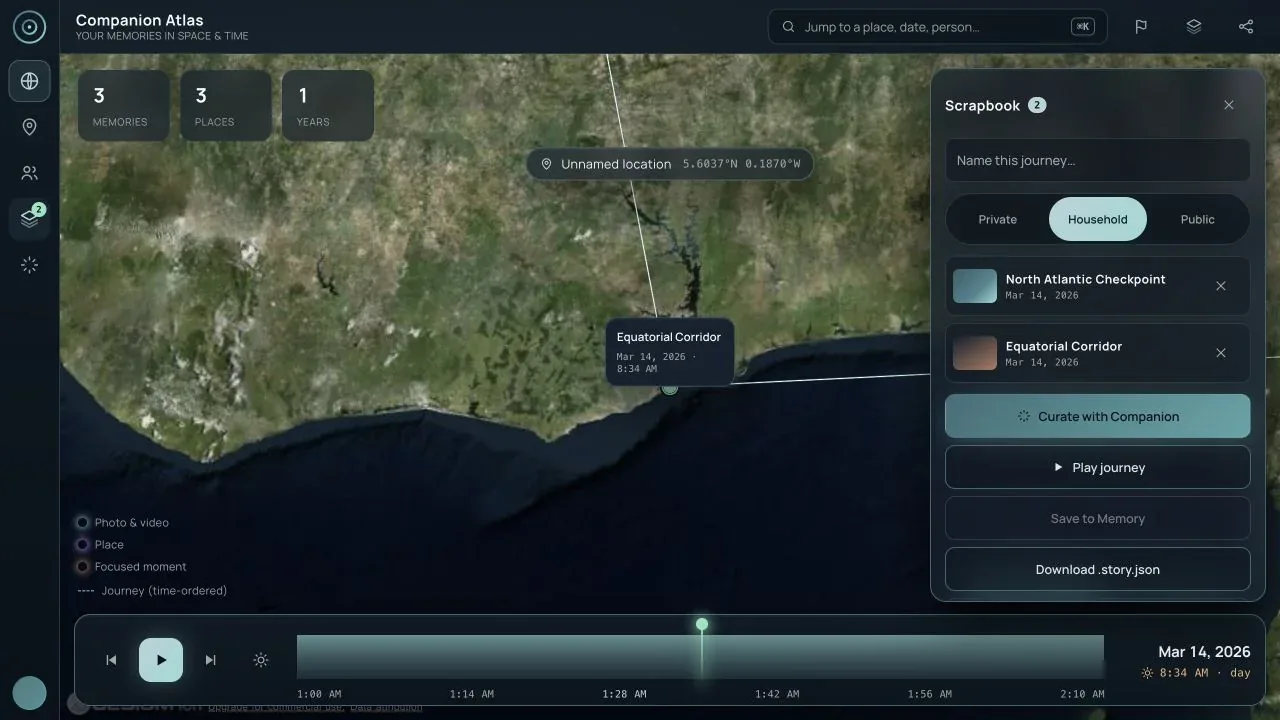
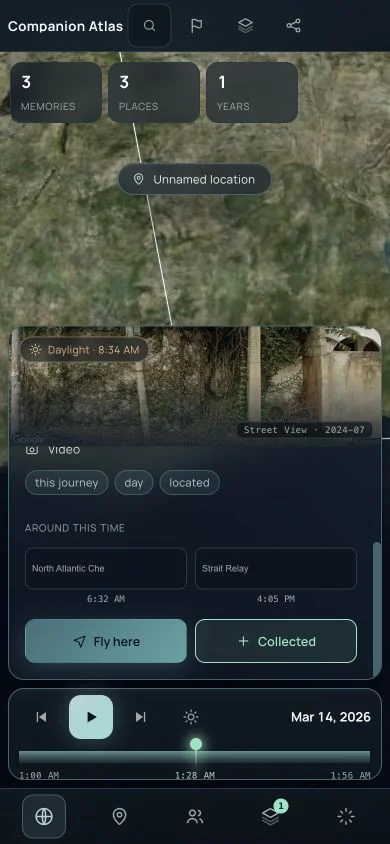
| Collect | Choose Collect in the memory inspector | Adds the memory to the story-scoped scrapbook and updates its badge | Mobile collect |
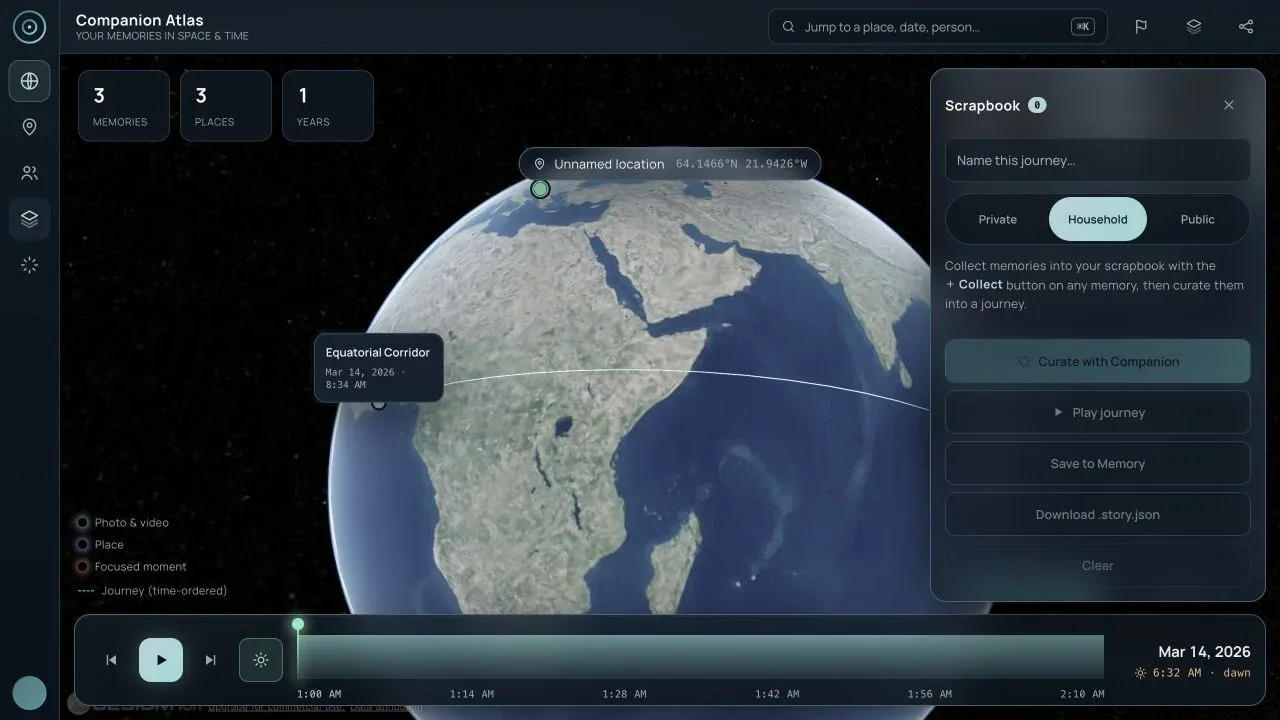
| Remove / Clear | Open Scrapbook and use the row ✕ or Clear | Removes one entry or resets the draft | Desktop scrapbook |
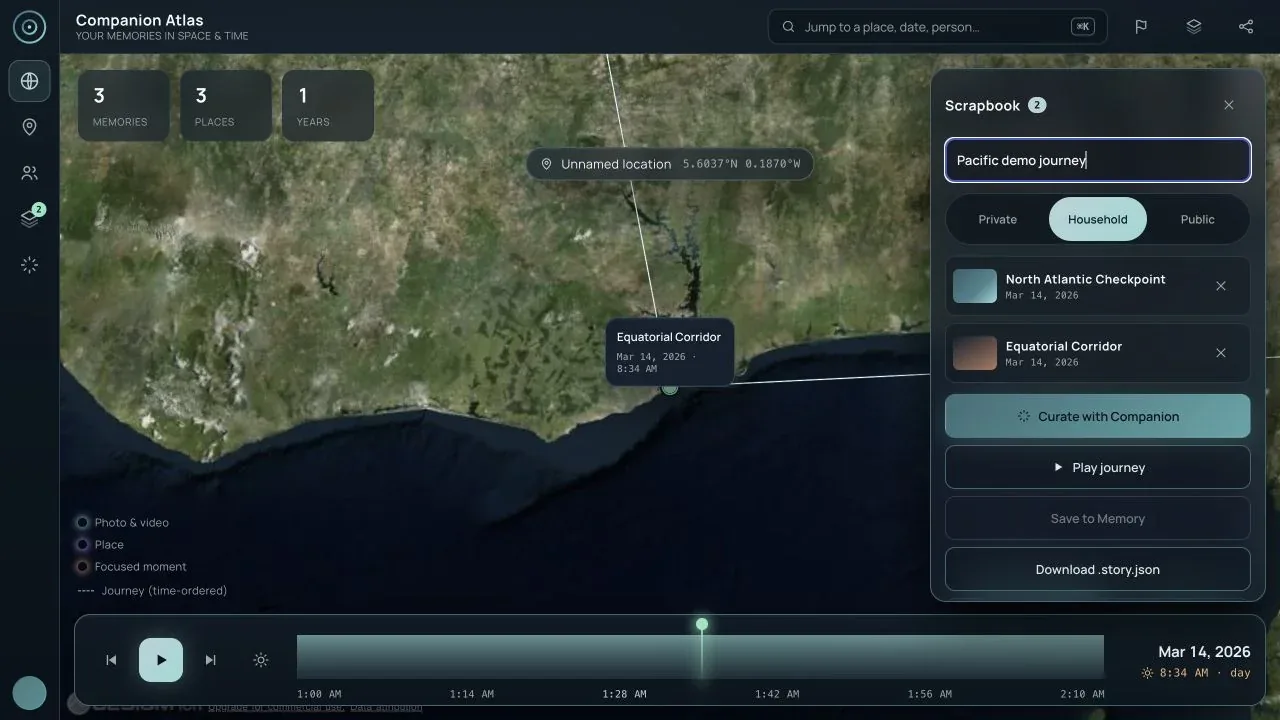
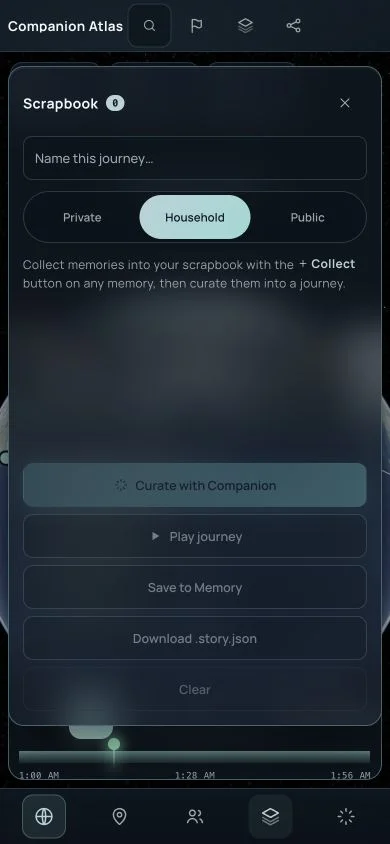
| Name a journey | Type in Name this journey… | Gives the draft a human-readable title | Desktop scrapbook |
| Set visibility | Choose Private, Household, or Public | Stores the intended sharing level for a save or downloaded story | Desktop scrapbook |
| Curate with Companion | Collect at least one memory, then choose Curate with Companion | Builds a narrated journey and titles it from the selected moments | Desktop curated journey |
| Play journey | Choose Play journey | Replaces the base story temporarily with the scrapbook journey and resumes playback | Desktop curated journey |
| Save to Memory | Connect a live Memory source, then choose Save to Memory | Writes an atlas-story event back to Companion Memory with the selected sharing level; disabled in the offline demo | Disabled safely in Desktop scrapbook |
| Download story | Choose Download .story.json | Downloads a portable story document without requiring a server connection | Desktop scrapbook |
| Copy link | Click the share icon | Copies the current view while stripping private memory and bearer token parameters | Desktop share link, Mobile share link |
People and immersive controls
| Function | How to use it | What it does | Evidence |
|---|---|---|---|
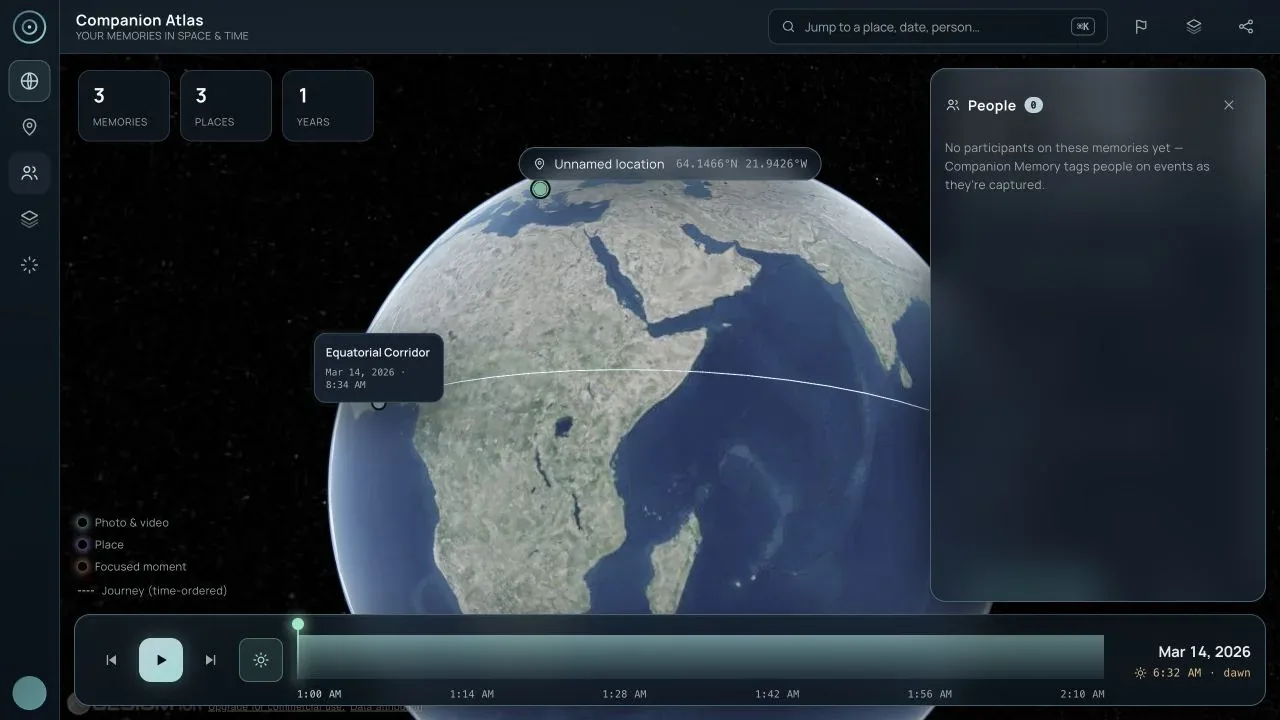
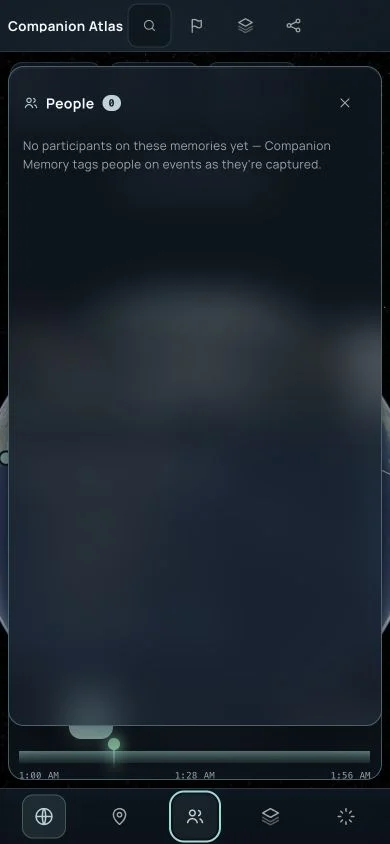
| People facet | Choose People in the rail / bottom navigation | Groups live-memory events by participant and can play a person’s journey; the bundled demo has no people | Desktop people, Mobile people |
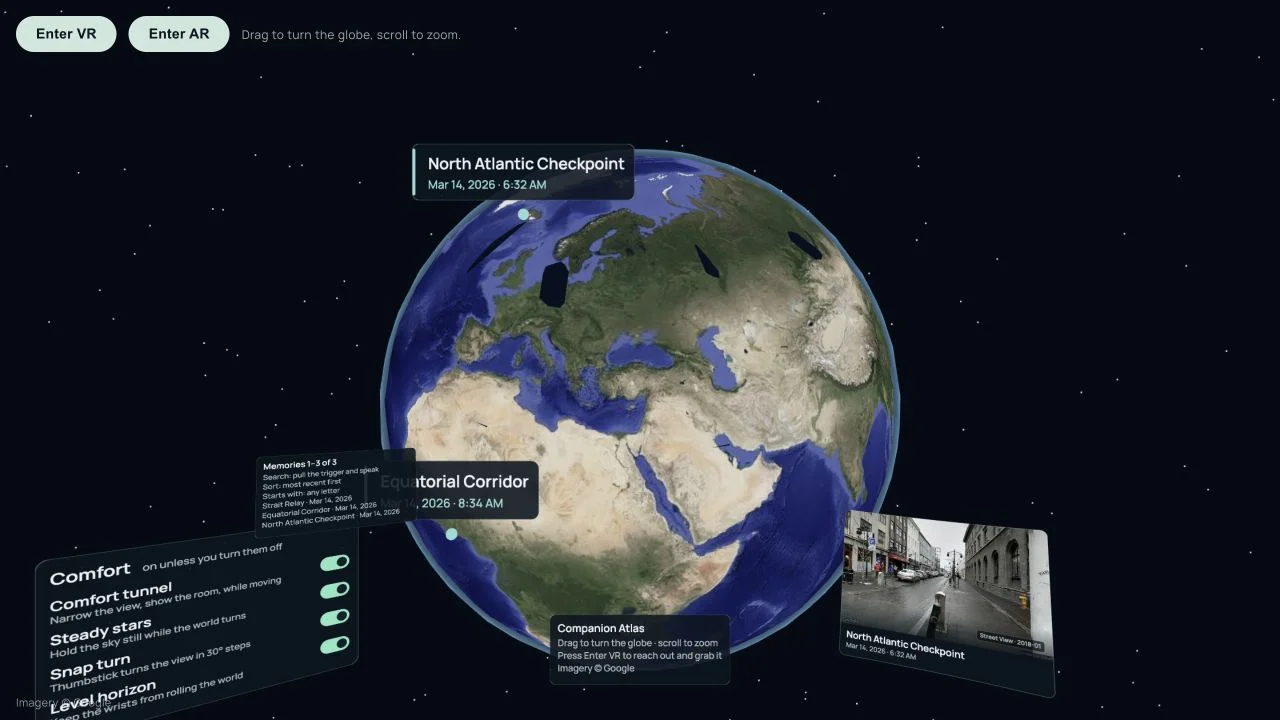
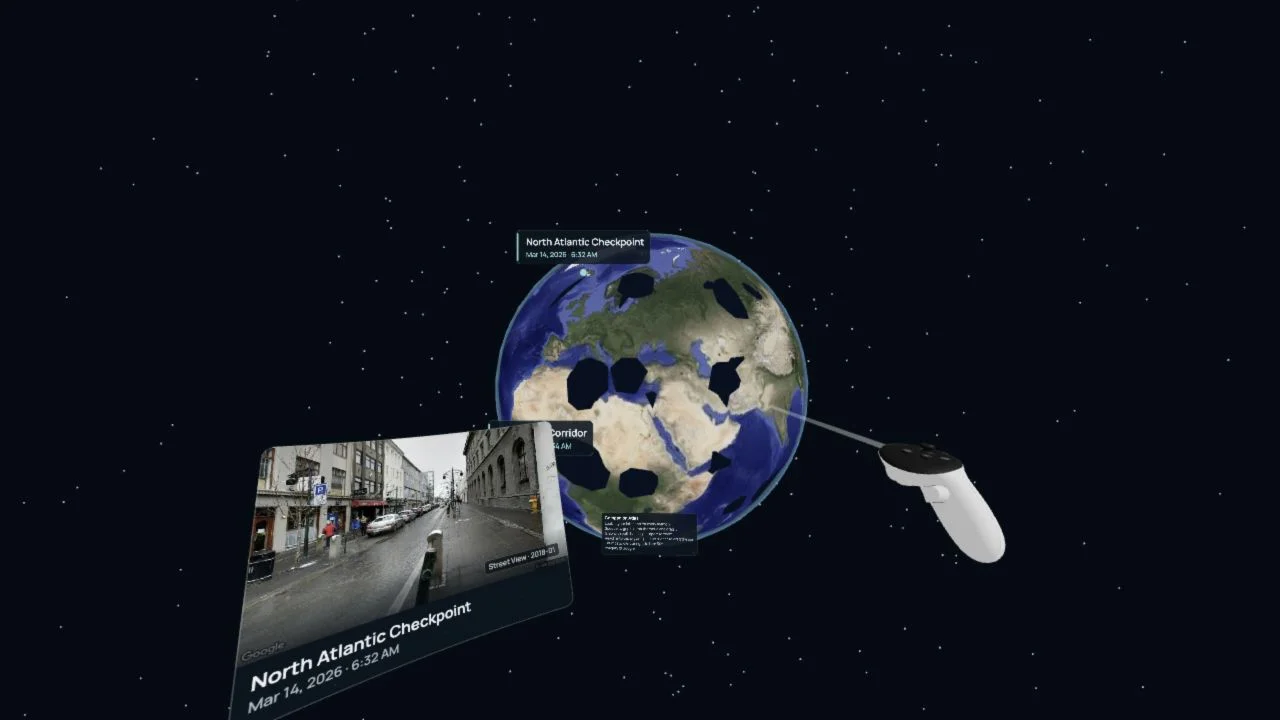
| Enter VR / Enter AR | Choose the corresponding control in the XR renderer | Starts an immersive session when a device or emulator supports it | WebXR baseline, WebXR entered |
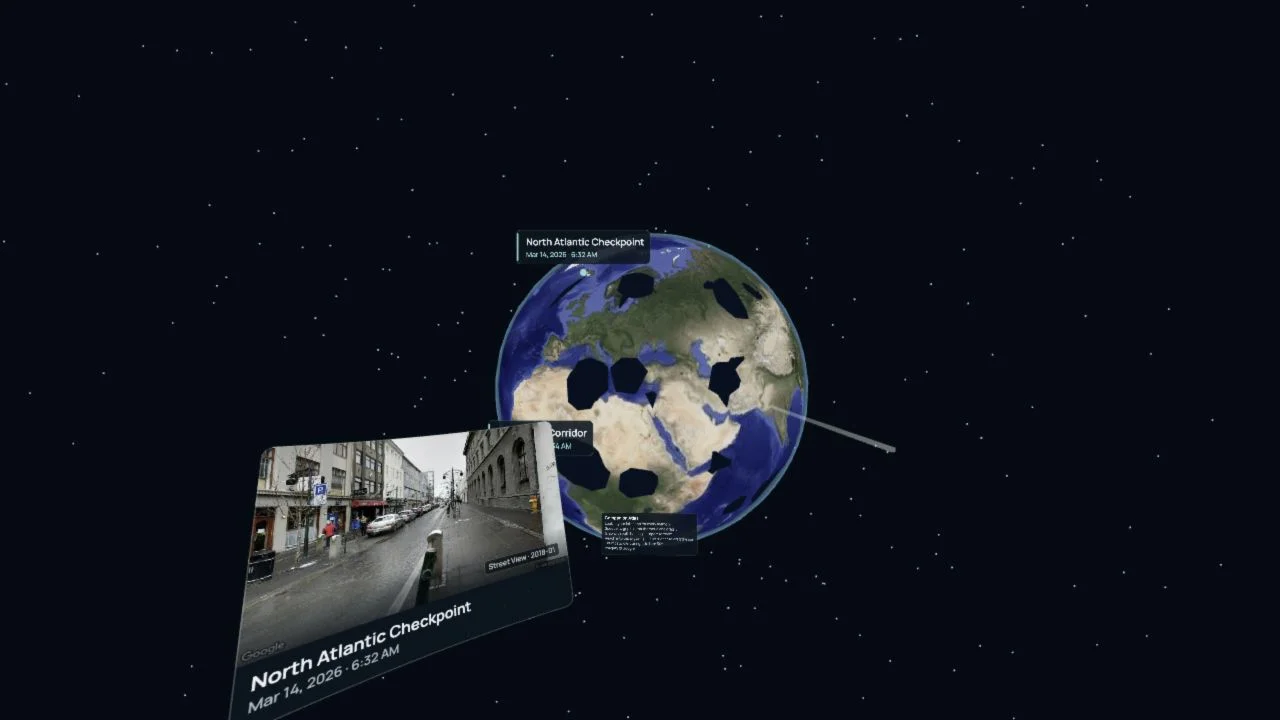
| Turn and zoom the globe | Desktop XR: drag and scroll; headset: grab with a grip and move both hands to zoom | Provides a flat-window fallback plus hand-based locomotion in immersive mode | WebXR entered |
| Wrist memory menu | Look toward the off hand in VR | Surfaces the memory list and lets the user travel to a memory that is not currently in view | Implemented in the XR scene; physical-headset verification remains open |
| Sky time scrub | In VR, reach into the sky and pull the trigger | Turns the sky into a time axis; the sun, moon, readout, and visible pin window follow it | Implemented in the XR scene; needs headset input validation |
| Comfort controls | Use the Comfort panel in XR | Toggles comfort tunnel, steady stars, snap turn, and level horizon; settings persist locally | WebXR baseline |
| XR controller ray / grab | Use the emulated controller or a physical controller | Tests the spatial input path and world grabbing without relying on page buttons | WebXR controller |
Platform guidance
Desktop
The desktop shell is the richest review surface: it keeps the rail, top-bar actions, inspector, globe, and time machine visible together. Use it for archive-wide review, curation, and diagnosing a live Companion Memory connection.
Mobile
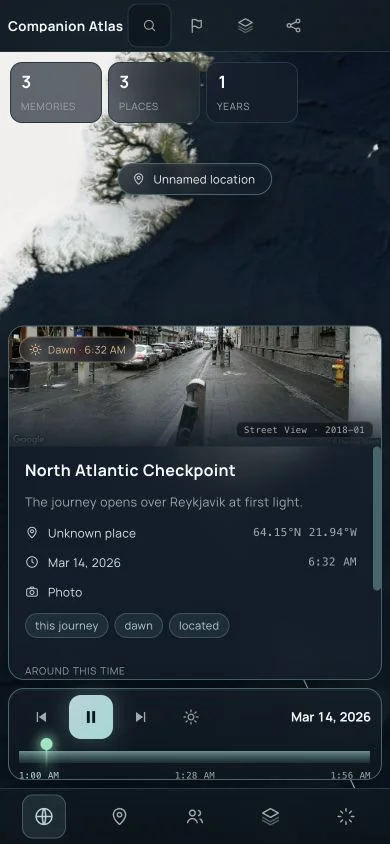
The reference capture is 390 × 844. The responsive shell keeps navigation in a bottom rail and lets the inspector scroll independently. The initial viewport prioritizes the selected memory; Fly here and Collect are below the fold on a phone, so the location-action screenshot intentionally captures the scrolled state. The compact 320px layout has no horizontal overflow, but the mobile flow still needs iOS Safari, Android Chrome, and soft-keyboard validation before release sign-off.
WebXR
The emulator verifies that the XR renderer mounts, presents a globe and memory cards, exposes VR/AR entry points, and renders a controller. It is an emulator smoke test, not evidence of comfort, tracking, passthrough, or text legibility on a physical headset. Validate Quest 3, a WebXR-capable desktop browser, and at least one browser with no WebXR support before release.
Screenshots
Every image below is a fresh demo-data capture from the Codex browser on
2026-09-02. Desktop and mobile images are 1280 × 720 and 390 × 844
respectively. The XR images are 1280 × 720 and use ?xremu=quest3.
Desktop
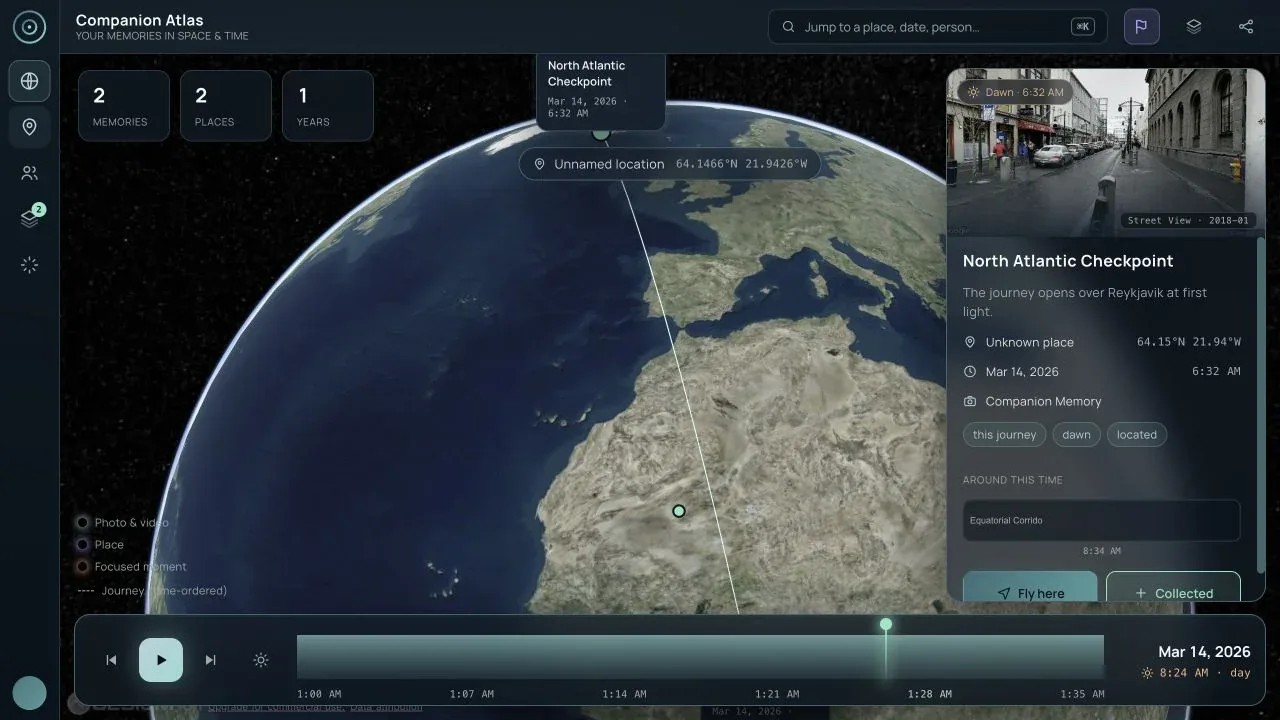
Mobile
WebXR
Known gaps and release plan
P0 — make live data trustworthy
- Add refresh/logout and expiry handling around the current in-viewer sign-in bridge. The viewer no longer depends on a build-time bearer for an initial recovery, but its tab-scoped access token is still short-lived.
- Surface the Companion Memory result count and pagination state in the UI. The client currently stops at a hard cap of 2,000 located memories and only warns in the console when the server reports more.
- Add explicit live connection, expired-session, CORS, and empty-located-memory states to the release checklist and end-to-end suite.
P1 — remove interaction surprises
- Keep the primary location actions reachable without guesswork on 320 × 568 and 390 × 844 viewports; test the inspector with the keyboard visible.
- Make date search match its promise. The current palette handles text and numeric year matching more reliably than natural-language dates.
- Keep the visible success/failure status for Copy link and cover it with a browser-level accessibility assertion in the release suite.
- Either implement the advertised gallery route or remove
view=galleryfrom links and documentation until it has a distinct view.
P1 — validate real devices and accessibility
- Run the same scenarios on iOS Safari, Android Chrome, a desktop browser without WebXR, and a physical Quest 3. Include screen-reader, keyboard-only, reduced-motion, contrast, focus-order, and touch-target checks.
- Measure Cesium/XR bundle size and first interactive render on a mid-range phone; the current production build emits large-chunk warnings.
- Exercise media absence, weather availability, place history, live People groups, save success, save failure, and offline/reconnect transitions with controlled fixtures.
P2 — make the story loop legible
- Add analytics or local diagnostics for load source, search completion, collection, curation, save, and download outcomes without collecting private memory content.
- Document story-schema versioning, supported media URLs, Google imagery attribution, and the difference between a user’s media and Street View.
- Add a repeatable screenshot matrix to release CI so desktop, mobile, and XR regressions are caught before publishing docs.
Verification evidence
The current source-level and runtime checks for this pass were:
- Viewer tests: 17 files, 198 passed.
- Story-schema tests: 7 files, 36 passed.
- Server tests: 5 files, 22 passed.
- Viewer typecheck, viewer build, root build, and server build passed.
- Visual suite: 16 of 16 passed.
- Share-link safety smoke: a dummy
apiKeyparameter was removed from the copied URL in the Codex browser. git diff --checkpassed.- Codex-browser smoke: authenticated live sign-in and reload recovery, desktop demo flow, 390 × 844 and compact 320px mobile flows, and Quest 3 WebXR emulator baseline / VR / controller / flat drag-and-zoom states were exercised.
These results establish a documented demo path, not release sign-off for live private data or physical hardware. See the Companion Atlas open-source repository and the Companion Memory server documentation for ongoing developments.