Companion agent
Companion Hub ships with a first-party AI agent ecosystem. The Choose your AI agent step of the onboarding wizard lets you pick OpenClaw (an open-source agent for coding and computer use) or Hermes (an advanced reasoning assistant for your tools, memory, and notifications), and configures models, remote access, and tool integration automatically. You can skip the step and add an agent later from the App Store.
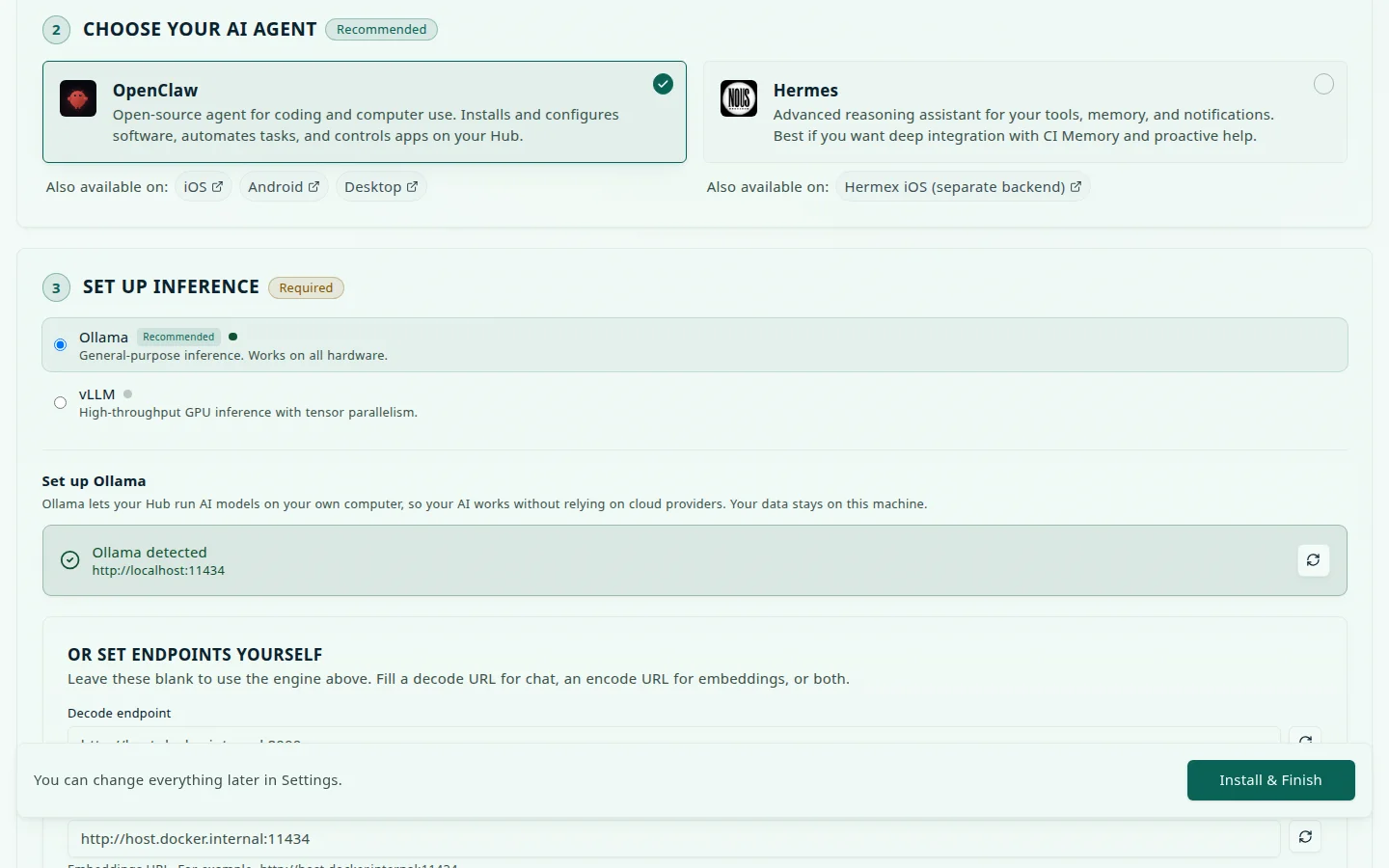
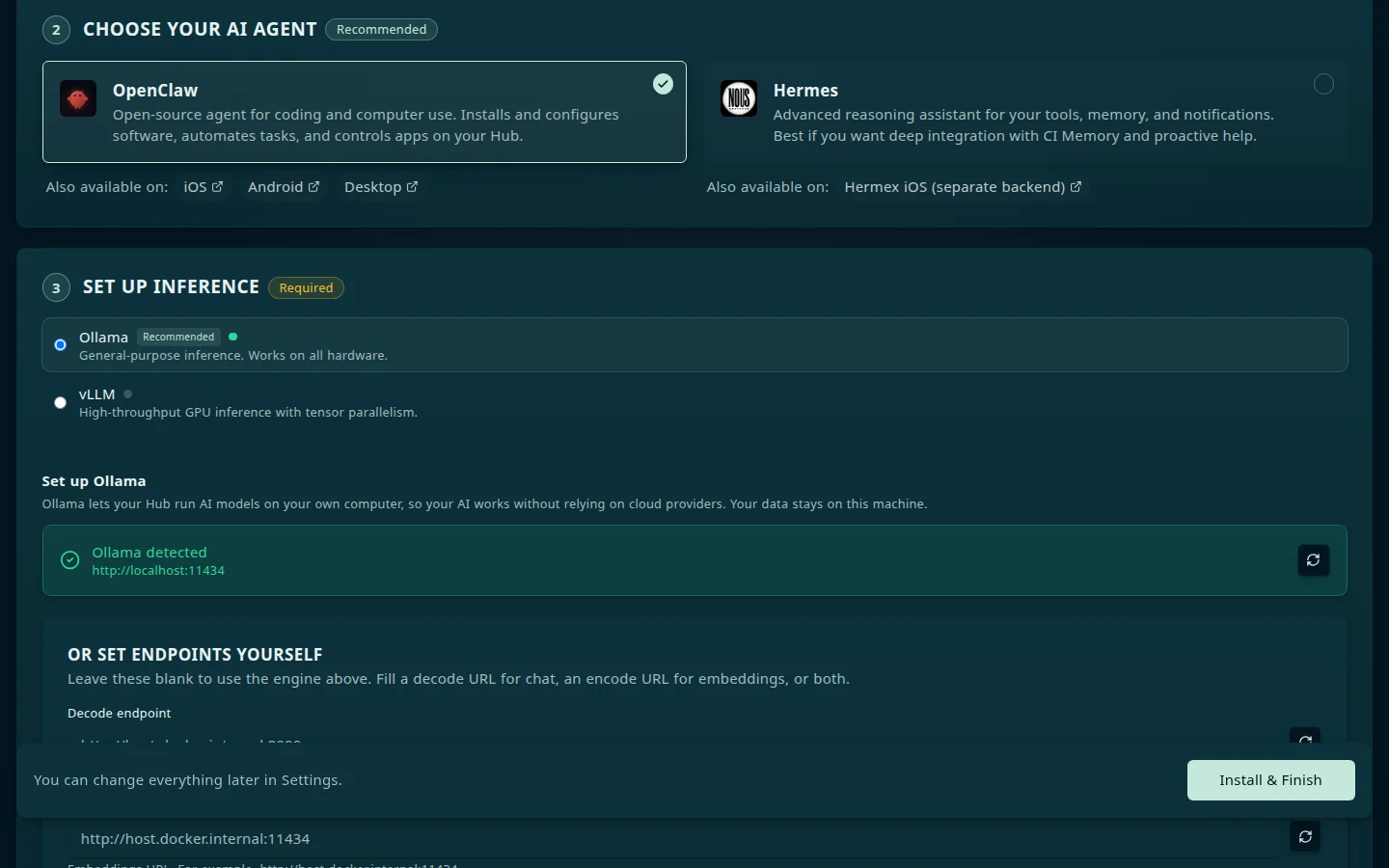
OpenClaw
OpenClaw is a self-hosted personal AI assistant with:
- Web-based chat interface
- Headless browser automation
- Tool and MCP integration with Hub
Install it from the App Store as OpenClaw WebCLI (ci-openclaw). Hub gives it the chat model, embedding model, and context size it resolved for your hardware, along with any cloud provider keys you saved in Settings → AI. OpenClaw supports OpenAI, Anthropic, Google Gemini, and other providers.
On a Hub install, ci-openclaw automatically receives Hub MCP credentials and loads the bundled ci-hub plugin on startup — no manual MCP configuration required. The agent can call Hub tools such as hub_list_installed_apps as soon as the container starts.
Hermes
Hermes is a messaging AI assistant available as a first-party marketplace app (ci-hermes). It ships a web terminal and dashboard, plus a messaging gateway for platform integrations (Slack, Discord, and more). Select it during the Onboarding wizard if you prefer its interaction model, or install it later from the App store.
On a Hub install, ci-hermes automatically registers mcp_servers.hub in its config against the Streamable HTTP endpoint (…/api/mcp) with Bearer auth, exposing all Hub hub_* tools alongside any optional Companion Memory MCP. The block carries no transport: key — the agent’s default Streamable HTTP client is correct, and a stale transport: sse line from an older install is removed on the next configuration pass.
OpenClaw and Hermes side by side
What this page documents for each agent. A blank cell means the page does not cover that point, not that the agent lacks it.
| Capability | OpenClaw | Hermes |
|---|---|---|
| Recommended for | Coding and computer-use tasks | Advanced reasoning |
| Marketplace app | OpenClaw WebCLI (ci-openclaw) | ci-hermes |
| Interface | Web-based chat | Web terminal and dashboard |
| Headless browser automation | ✓ | |
| Messaging gateway (Slack, Discord, and more) | ✓ | |
| Hub MCP wiring on install | Automatic: receives Hub MCP credentials and loads the bundled ci-hub plugin at startup | Automatic: registers mcp_servers.hub against …/api/mcp with Bearer auth |
| LLM provider key entered in its own setup UI | OpenAI, Anthropic, Google Gemini, and others | |
| Selectable in the onboarding wizard | ✓ | ✓ |
Companion Memory has its own chat
You do not need a separate agent app to talk to your memory.
Companion Memory ships a Chat
surface of its own, enabled by default, which runs against a local model and can call the same intent
tools it publishes over MCP — so it answers from your own graph rather than from a general model’s
guesses. Its default chat model is gemma4:e4b; you can point it at a different served model, or at
an OpenAI-compatible endpoint instead of Ollama, from Settings → Model on the memory server.
OpenClaw and Hermes are for the jobs that chat is not: coding, computer use, messaging gateways, and running unattended.
Local vs cloud models
Agents can use:
- Local models through the engine you chose in Settings → AI: Ollama, vLLM, oMLX, or Lemonade
- Cloud providers (OpenAI, Anthropic, Google, GitHub Copilot)
Hub detects hardware and recommends models during setup. See AI and inference for Ollama installation, GPU setup, and standardized inference variables.
Remote access for agents
During onboarding, choose how to reach your agent remotely:
- Private VPN — reach your Hub from your other devices over Tailscale
- Web — a private link you can open in any browser, through the Cloudflare Gateway (requires CI Account pairing)
MCP server
Hub exposes an MCP (Model Context Protocol) server at /api/mcp that agents can connect to. It speaks Streamable HTTP and offers about 80 hub_* tools for installing, configuring, backing up, and monitoring apps. MCP is enabled by default — the server loads automatically unless you explicitly set MCP_ENABLED=false.
No API key is created for you. Credentials are minted explicitly from Settings → Security, and the key is shown once at creation — enabling MCP and holding a working credential are separate steps. Each key also has a capability: Read-only, Read & write, or Read, write & delete, which decides what its tools may change.
The Settings → MCP tab shows whether the server is enabled, its endpoint, how many tools it offers, and how many sessions are connected. It also lists your keys, lets you browse the tool catalog, and lists the MCP server apps you have installed. You can run a tool from the catalog with JSON arguments to see what it does. Destructive tools ask you to confirm first.
Connecting an agent you already run — your own OpenClaw, Hermes, or Claude Code — is covered in Connect an existing agent, including choosing a key’s capability.
The server stays on unless MCP_ENABLED is false. cihub mcp setup, cihub mcp shutdown and cihub mcp config set or print that variable in the installed Hub’s env files or, from a source checkout, in that checkout’s env file. With neither they exit with code 2. Hub reads the variable when it starts, so run cihub restart after setup or shutdown. Check status in Settings → MCP and list your keys with cihub api-key list.
Agent apps with hub_integration.mcp_client: true in their manifest automatically receive these in their environment:
| Variable | Value |
|---|---|
HUB_URL | Internal Hub base URL — http://ci-hub:5002 on an appliance; append /api/… to reach the API |
HUB_MCP_URL | Streamable HTTP MCP endpoint, path included — http://ci-hub:5002/api/mcp |
HUB_MCP_API_KEY | Bearer token for authenticating to the MCP server. Hub creates it for this app and revokes it on uninstall |
HUB_WAKE_SECRET | Secret used for app wake / heartbeat signaling |
An app with hub_integration.mcp_client: true publishes its host port on 127.0.0.1 only, because it holds a key that can drive your Hub. To reach an agent’s web interface from another device, use Private VPN or Public Web.
How those pieces fit together once the agent container is running:
flowchart LR
    A["Agent app<br/>ci-openclaw or ci-hermes"] -->|"HUB_MCP_URL<br/>Bearer HUB_MCP_API_KEY"| M["Hub MCP endpoint<br/>ci-hub:5002/api/mcp"]
    M --> T["hub_* tools<br/>e.g. hub_list_installed_apps"]
    A -.->|"optional"| CM["Companion Memory MCP"]
    A -->|"local models"| O["Ollama<br/>Settings → AI"]
    A -->|"cloud providers"| P["OpenAI, Anthropic,<br/>Google, GitHub Copilot"]
Never run one before? Run your first agent goes from install to a working task in about 20 minutes.
Container isolation and sandboxing for agentic workloads
AI agents (such as OpenClaw and Hermes) have unique security characteristics compared to standard web applications:
- Dynamic code execution: Agents write, compile, and execute arbitrary code (Python scripts, shell commands, npm packages) to fulfill user requests.
- Tool and MCP access: Agents hold API credentials (
HUB_MCP_API_KEY) to manage the Hub and access local files and networks. - Untrusted input exposure: Agents parse unvetted content from websites, external APIs, and user data.
Should Kata Containers or Confidential Containers be the default for agentic workloads?
No, Kata Containers and Confidential Containers should not be the blanket default for all agentic workloads. Instead, Companion Hub adopts a tiered isolation model.
Applying microVMs (kata) or Confidential Containers (kata-cc) as the mandatory default for every agent container introduces severe operational trade-offs on typical appliance hardware:
| Consideration | Standard Container (runc) | Kata Containers (kata-qemu) | Confidential Containers (kata-cc) |
|---|---|---|---|
| Isolation boundary | Linux namespaces & cgroups (shared host kernel) | Hardware hypervisor microVM (dedicated guest kernel) | Hardware TEE + CPU memory encryption (AMD SEV-SNP, Intel TDX) |
| GPU / NPU inference | Direct passthrough (/dev/dri, /dev/kfd, NVIDIA) with zero overhead | Complex VFIO PCIe passthrough; high latency, brittle on consumer APUs/SoCs | Requires enterprise Confidential GPU hardware (NVIDIA H100 CC); unsupported on consumer GPUs and Apple Silicon |
| Hardware requirements | Any x86_64 or ARM64 Linux/macOS host | Requires hardware virtualization (VT-x/AMD-V, /dev/kvm). Fails in nested or cloud VPS without KVM | Requires datacenter server CPUs with TEE extensions. Not present on consumer mini PCs (e.g., Intel N100, Raspberry Pi 5, M-series Macs) |
| Memory footprint | ~5–10 MB overhead per container | ~100–256 MB base RAM per microVM guest kernel | ~256 MB+ base RAM plus encryption table overhead |
| Cold start latency | ~50–100 ms | ~500 ms – 1.5 s | ~1.5 s – 5 s (attestation handshake with Key Broker Service) |
| Filesystem I/O | Native host page cache and bind mounts | Virtualized via virtiofs (measurable I/O overhead on large datasets) | Encrypted virtual block device (dm-crypt/dm-verity) |
The recommended tiered isolation model
Rather than forcing microVMs universally, Companion Hub supports a targeted, three-tier architecture:
-
Tier 1: Agent orchestrator core (
runc— default)- The primary agent interface (e.g.,
ci-openclaworci-hermes) runs as a standard container. - Retains direct, low-latency access to local inference engines (Ollama, vLLM, oMLX), Unix sockets, shared memory (
/dev/shm), and the Hub MCP endpoint. - Runs on 100% of consumer and appliance hardware without requiring KVM or virtualization extensions.
- The primary agent interface (e.g.,
-
Tier 2: Untrusted code execution sandboxes (
runtime: "kata-qemu"— recommended for execution tools)- When an agent executes untrusted code, runs a browser scraper, or evaluates downloaded scripts, that sub-process or worker should run inside a dedicated Kata Containers microVM sandbox.
- If an agent-generated script attempts a kernel exploit or privilege escalation, it is trapped inside the guest microVM kernel and cannot escape to the host appliance.
-
Tier 3: Proprietary commercial agents & model weights (
runtime: "kata-cc"— enterprise & DRM)- For commercial agents published through the App Store that bundle proprietary model weights or closed-source IP, developers specify
"runtime": "kata-cc"indocker-compose.json. - On TEE-capable hardware (AMD SEV-SNP or Intel TDX), the container layers (stored on Cloudflare R2) remain encrypted until verified by remote attestation, and guest memory is hardware-encrypted against host root inspection.
- For commercial agents published through the App Store that bundle proprietary model weights or closed-source IP, developers specify
Building agent apps
To publish an agent to the marketplace:
- Build a container (see Static Container Builder)
- Set
hub_integration.mcp_client: trueand optionalhub_integration.inferenceinconfig.json - Submit via
cihub submitor the Developer Portal — see Submitting to the Marketplace