Companion Memory widgets
The Widgets board brings planning, recall, and background-work signals together. On desktop, it is a responsive page in the Memory app. On iPhone and Android, the home-screen widget shows a compact copy of the same signed-in data.
Desktop and web
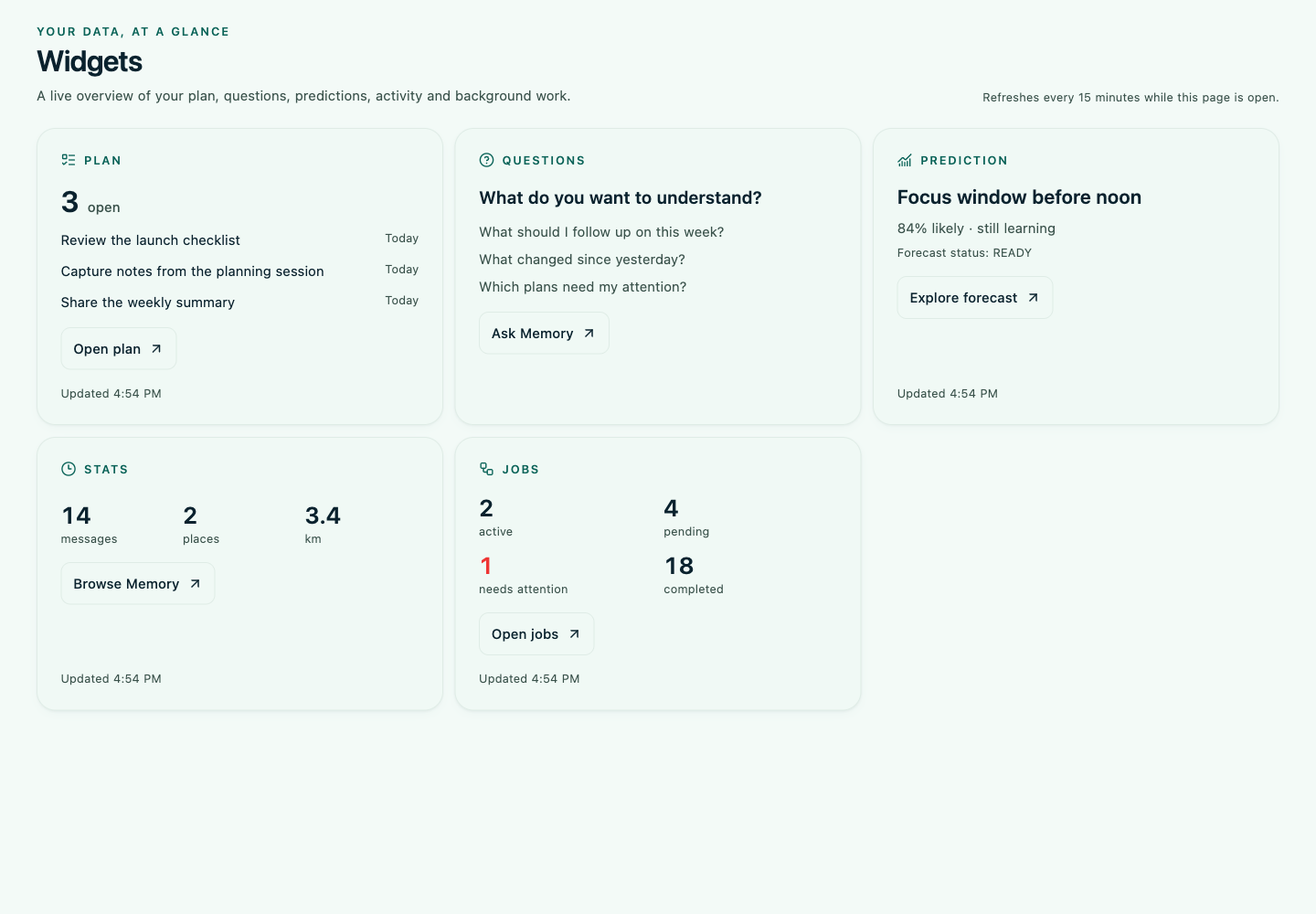
Open Widgets from the app navigation. The page lays out five cards: Plan, Questions, Prediction, Stats, and Jobs. The cards link into the relevant Memory screen and refresh while the page is open.
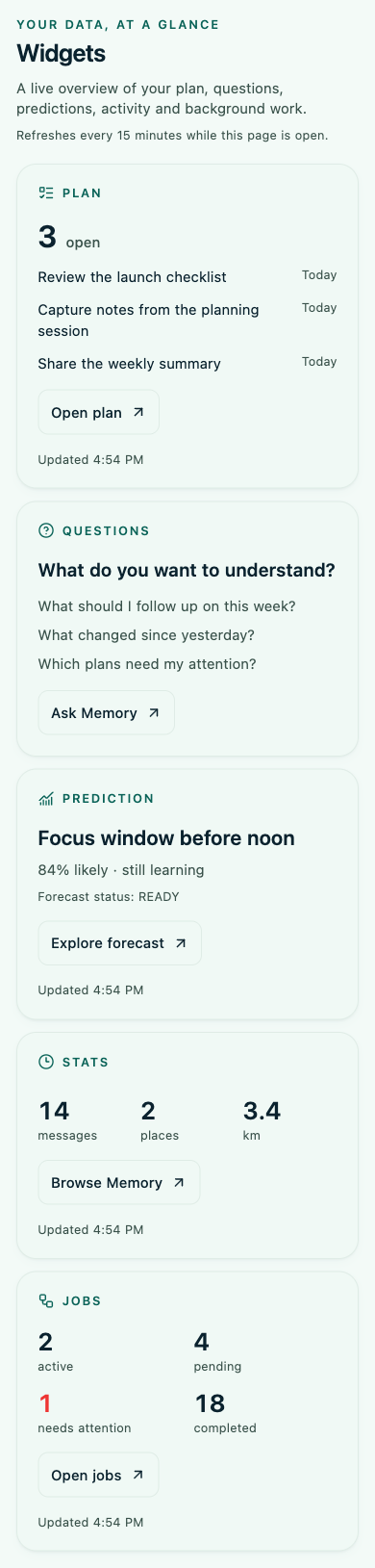
At phone width the same page stacks the cards into one column, keeping task names, due labels, and counts readable without horizontal scrolling.
iPhone and Android home-screen widgets
The native widget picker offers Plan, Insight, Questions, Stats, and Jobs. Plan shows up to three open tasks and their due dates. Insight summarizes the next forecast and its confidence. Stats shows today’s messages, places, and distance. Jobs shows active, pending, failed, dead-lettered, and completed counts.
Widgets show a short local snapshot; they do not fetch directly from the server. While Memory is signed in, the app refreshes the snapshot when it opens, when it returns to the foreground, and periodically while open. The operating system controls when it redraws the home-screen widget, so the displayed values can lag behind the live app. A snapshot older than 48 hours is treated as unavailable.
Tap a card to open the related screen. On the larger Plan widget, task completion is sent to the server through the authenticated Memory app the next time it is active; the widget itself never stores an account credential or sends a server request.
Widget data is reduced to task IDs and short titles, a forecast label and confidence, daily totals, and job counts. Notes, media, credentials, and job payloads are not copied into widget storage. Signing out clears the cached snapshot and queued task actions.
On macOS, use the same responsive Widgets page inside the Companion Memory desktop app. This implementation does not add a separate macOS Notification Center widget.